
An alternative to Lunar, Badlion and Feather
Last updated:
Changing clients doesn't have to mean setting everything up again. The Fanatic Client launcher looks for other launchers on your PC and copies what you choose. Nothing changes in the other launcher, so you can go back to it at any time.
What you can import from
- Lunar Client, Badlion Client, Feather Client, Dawn Client and BlazingPack
- MultiMC, Prism Launcher and PolyMC
- The official Minecraft Launcher
- Any game folder, such as a portable MultiMC or a client installed somewhere else
What you can bring over
- Controls, mouse sensitivity, field of view, graphics, sound, language and pack order
- Your server list, added to the profile's list (servers already on it are skipped)
- Resource packs and shader packs
- Worlds and screenshots, if you tick them
- Fabric mods and their configs
How to do it
- Install Fanatic Client and open the launcher.
- Click Import. The launcher checks other launchers' usual folders, and if yours is somewhere else, use the Browse button.
- Pick the source, tick what to bring over, and choose a new or existing profile.
- Start the import. If it replaces the game settings in an existing profile, the launcher keeps a copy of the old options.txt in the profile's folder.
Mods and other Minecraft versions
Mods only move over from Fabric instances. From the same Minecraft version they are copied as they are, and from another one the launcher installs their builds from Modrinth. Mods with no such build stay in the old launcher. Forge isn't supported, so its mods don't move over.
If Fanatic isn't available for your version, you can move your settings, servers, packs and worlds to a Fanatic profile on another version. Don't open worlds in a version older than the one they came from, as that can damage them.
Your account and sign-in
The import doesn't use other launchers' accounts or login tokens. In Fanatic you sign in separately with your Microsoft account, on Microsoft's own page.
What you get after the move
- Minecraft 26.1 – 26.3, 1.21.11, 1.8.9, each version with its own profile
- Its own FPS optimisations and a one-click Performance preset of mods
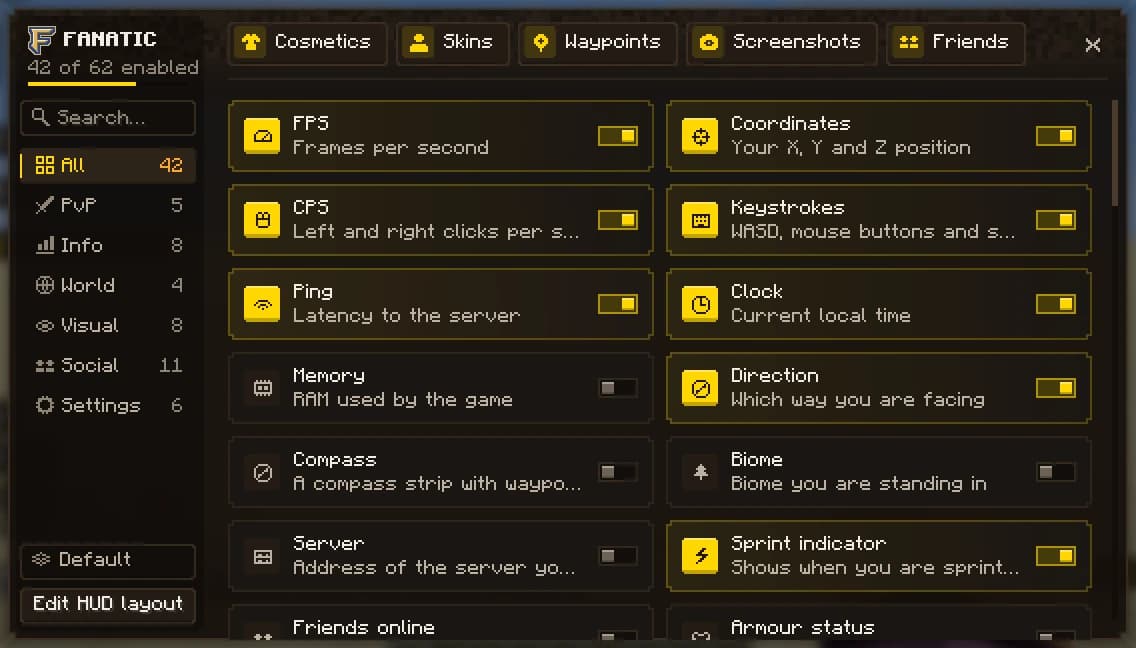
- 20 HUD modules with a drag-and-drop editor and per-server profiles
- PvP tools: freelook, toggle sprint, 1.8 animations, a custom crosshair
- 77 cosmetics and 24 emotes, free for now
- A Modrinth mod and resource pack browser
Which features you get depends on the Minecraft version, and the launcher runs on Windows 10 and 11 (64-bit).
Lunar Client, Badlion Client, Feather Client, Dawn Client, BlazingPack, MultiMC, Prism Launcher and PolyMC are the names of their respective owners. Fanatic Client is not affiliated with them.
Download Fanatic Client
One installer sets up the launcher. Sign in with Microsoft, pick a version and play. Java and Fabric are installed for you.
v0.7.15 · Windows 10/11 · 87 MB