FANATIC
Minecraft 26.3 · 1.21.11 · 1.8.9Fabric

More frames. Less clutter.

Fanatic Client is a launcher and client for Minecraft 26.1 – 26.3, 1.21.11 and 1.8.9. It comes with its own FPS optimisations, 20 HUD modules, PvP tools and cosmetics.

v0.7.15 · Windows 10/11 · 87 MB · Signed installer

  • Up to 12× FPS in crowded scenes
  • No ads, no cheats
  • Signed installer and updates
CentrumPVP crest

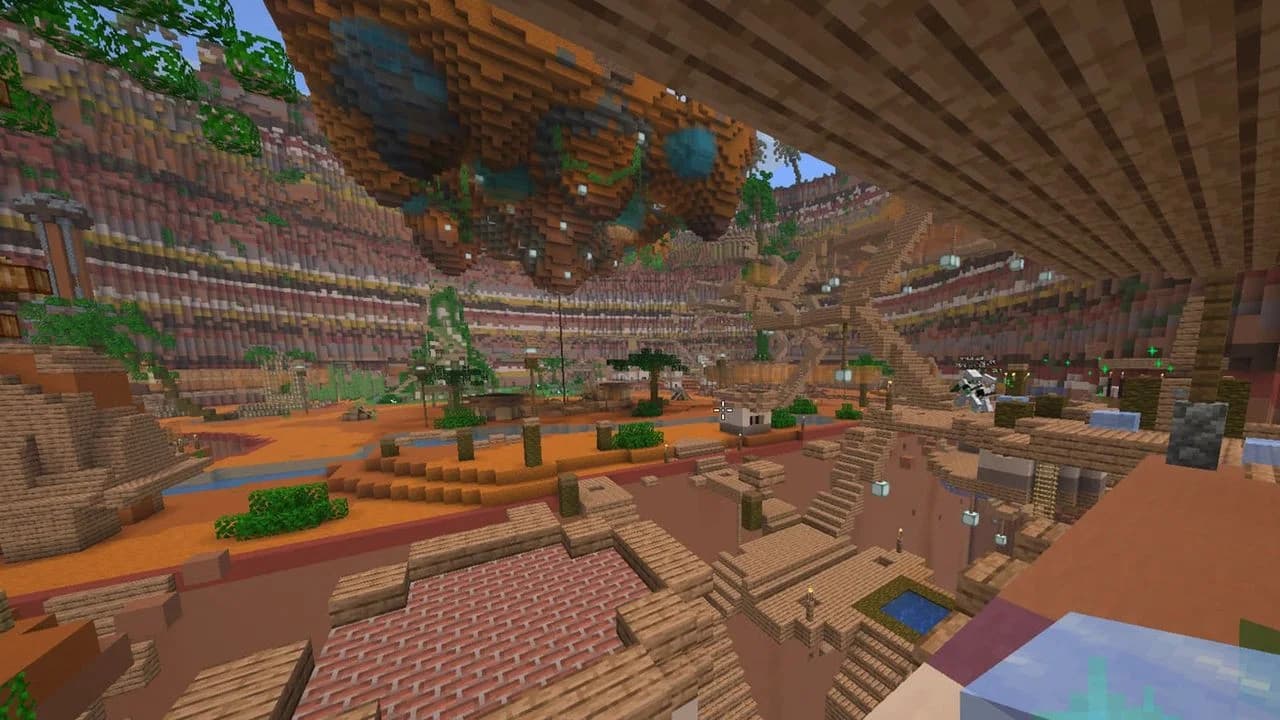
Featured serverPinned in every Fanatic version

CentrumPVP

It sits at the top of your server list in every Fanatic version. Open Fanatic and press Join.

Get Fanatic and joinIP: centrumpvp.pl

Versions

Modern Minecraft or classic 1.8 PvP

Pick a version in the launcher and play. It sets up Fabric, Java and Fanatic for that version by itself, and every version keeps its own profile.

Minecraft 26.3

The newest Minecraft, where Fanatic features land first.

What you get on 26.311 of 11

  • HUD modules and the drag-and-drop HUD editor
  • Cosmetics and emotes that other Fanatic players see
  • Auto clicker you switch on and off, with CPS sliders for left and right click
  • Freelook and toggle sprint
  • Waypoints and pings, shared with friends
  • Zoom, chat tabs, the macro wheel and chat binds
  • 1.8 PvP: sword blocking and block-hitting
  • One-click Performance and Voice chat presets
  • Several times the FPS with crowds of mobs and players
  • Vulkan renderer, on by default
  • Mojang friends list: friend markers and friend-only shares

Fabric · Java 25, installed by the launcher

Features

Everything you need, built in

No hunting for mods that work together. Fanatic ships the essentials, all switchable from one menu.

Performance

Our own rendering optimisations for the scenes where vanilla Minecraft slows down.

  • Several times the FPS with crowds of mobs and players
  • Smooth frame rate with lots of name tags, holograms and signs
  • A lighter HUD, chat and player list
  • Max framerate up to 1000 FPS
  • One-click Performance preset: Sodium, Lithium, FerriteCore, ImmediatelyFast, Entity Culling

12.0×1500 mobs in view, Vulkan
HUD modules

20 modules you can drag, resize and save per server.

  • FPS, CPS, ping, coordinates, direction, biome, clock, memory
  • Keystrokes, reach, combo counter, target HUD
  • Armour status, item counter, potion effects, server timers
  • Drag-and-drop HUD editor with per-server profiles

PvP & quality of life

The things you'd otherwise install five mods for.

  • Zoom (C) and freelook (Left Alt)
  • Toggleable auto clicker with its own CPS for left and right click
  • Toggle sprint, fullbright, motion blur
  • Custom crosshair and block outline
  • 1.8 animations: sword blocking, block-hitting, red armour
  • Waypoints, macro wheel and chat binds
  • Better chat: tabs, history, timestamps, search

Launcher

One app for every profile, account and mod.

  • Microsoft login, with tokens stored encrypted on your PC
  • Isolated profiles with automatic Java and Fabric install
  • Modrinth mod and resource pack browser
  • Import from Lunar, Feather, MultiMC, Prism and others
  • Skin library, screenshot gallery and friends list
  • Signed automatic updates

Social & cosmetics

Look the part and see your friends in game.

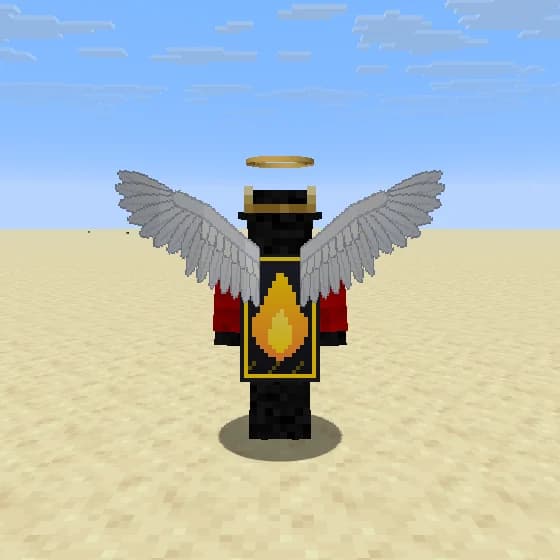
  • 77 cosmetics: capes, wings, hats, halos, auras and more
  • 24 emotes, including paired emotes
  • Friend pings, online alerts and friend markers
  • 124 chat emojis

EN · PLThe launcher and the in-game menus are fully translated into English and Polish.

Screenshots

See it in game

Real captures from the client. Click any image to enlarge it.

Mod menuEvery module in one searchable menu. Open it with Right Shift.
HUD editorDrag modules where you want them and scroll to resize.
Cosmetics lockerPreview and equip cosmetics on a live 3D model.
WaypointsSave spots and share them with friends.
Chat tabsSplit chat into tabs with your own filters.
Crowded scenesDozens of mobs and holograms at a four-digit frame rate.

Performance

Vanilla vs Fanatic

The scenes where vanilla Minecraft struggles most: crowds of mobs and players, a busy server spawn, a full player list, an open chat.

Vanilla rendering Fanatic Client

1500 mobs in view, Vulkan

12.0×faster

Vanilla
105 FPS
Fanatic
1,260 FPS

Busy server spawn, 30 players

4.7×faster

Vanilla
405 FPS
Fanatic
1,896 FPS

100 players in view, Vulkan

4.4×faster

Vanilla
397 FPS
Fanatic
1,760 FPS

Player list open, 80 players

4.4×faster

Vanilla
1,090 FPS
Fanatic
4,743 FPS

1500 mobs in view, OpenGL

7.9×faster

Vanilla
104 FPS
Fanatic
825 FPS

Chat open, 30 lines

1.8×faster

Vanilla
2,609 FPS
Fanatic
4,807 FPS

Measured by us with the client's built-in benchmark on Minecraft 26.3 at 1920×1080, RTX 4080, no other mods. "Vanilla" is the same build with all of Fanatic's optimisations switched off, so the game draws everything the way vanilla Minecraft does. Each result is the average of repeated runs, and each chart has its own scale. The mob and player optimisations are available on 1.21.11 and 26.3 and have been tested on NVIDIA GPUs. Your results depend on your hardware, settings and the server you play on.

Cosmetics

77 cosmetics, 24 emotes

Capes, wings, hats, halos, face and back items, and particle auras. Other Fanatic players see yours in game, and you can bind a key to hide everyone's cosmetics.
Free for now.Every cosmetic and emote is free to use for now. Open the locker in game and wear whatever you like.

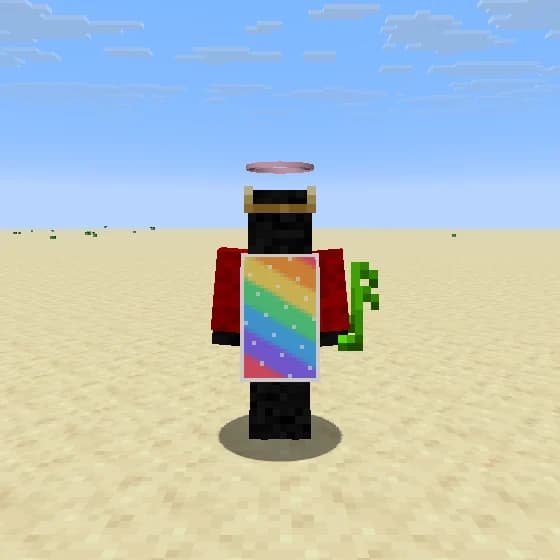
Player wearing Fanatic Cape, Angel Wings, Halo
Fanatic Cape · Angel Wings · Halo
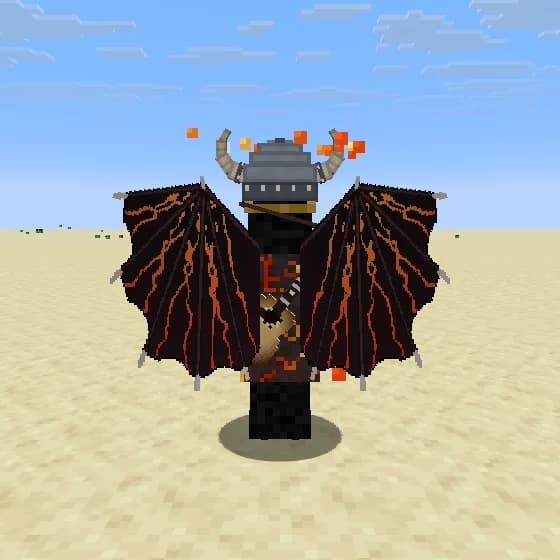
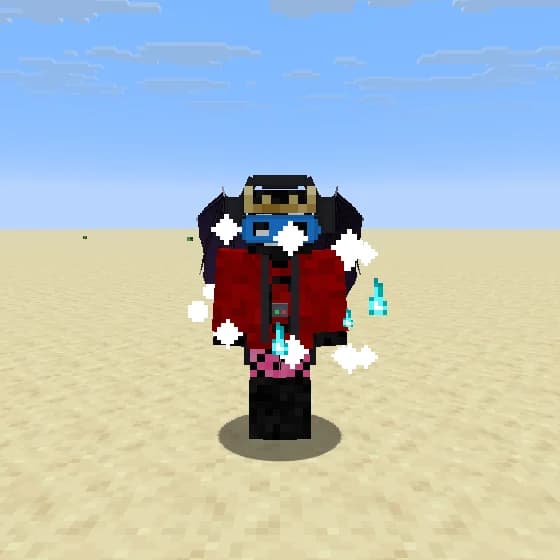
Player wearing Demon Wings, Viking Helmet, Acoustic Guitar, Molten
Demon Wings · Viking Helmet · Acoustic Guitar · Molten
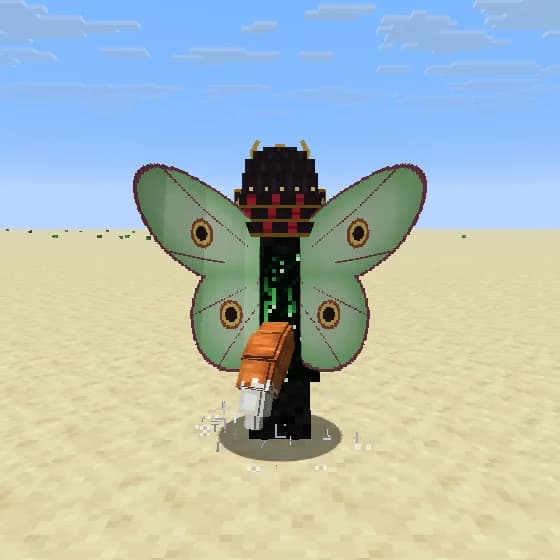
Player wearing Luna Moth, Samurai Kabuto, Code Rain Cape, Fox Tail, Runes
Luna Moth · Samurai Kabuto · Code Rain Cape · Fox Tail · Runes
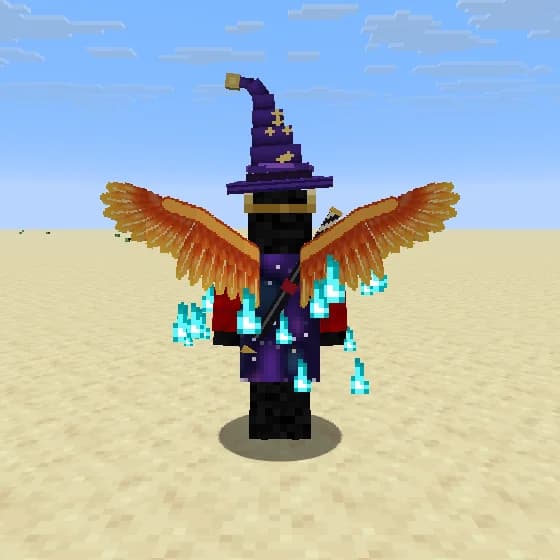
Player wearing Phoenix Wings, Wizard Hat, Galaxy Cape, Soul Flame
Phoenix Wings · Wizard Hat · Galaxy Cape · Soul Flame
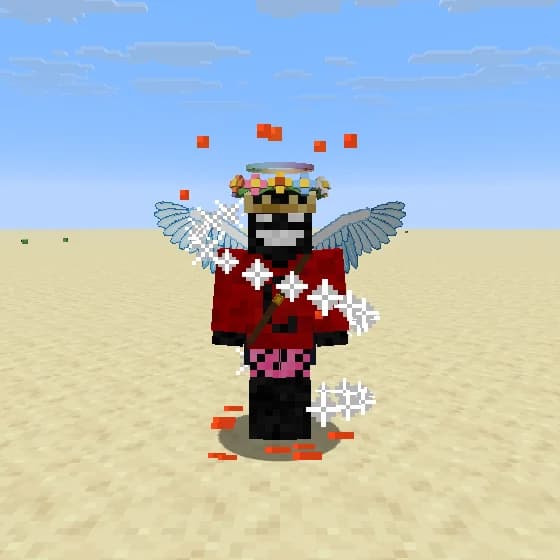
Player wearing Frost Wings, Flower Crown, Prism Halo, Fireworks
Frost Wings · Flower Crown · Prism Halo · Fireworks
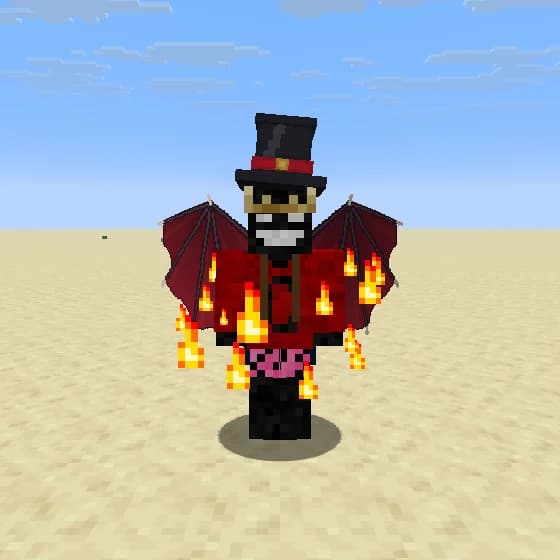
Player wearing Dragon Wings, Top Hat, Flame Aura
Dragon Wings · Top Hat · Flame Aura
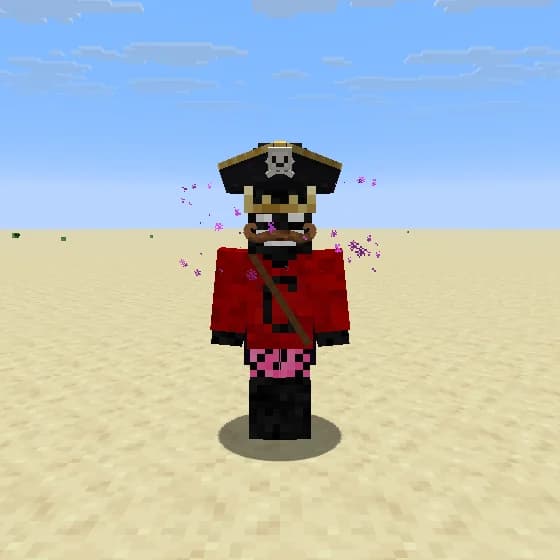
Player wearing Pirate Hat, Handlebar Mustache, Void
Pirate Hat · Handlebar Mustache · Void
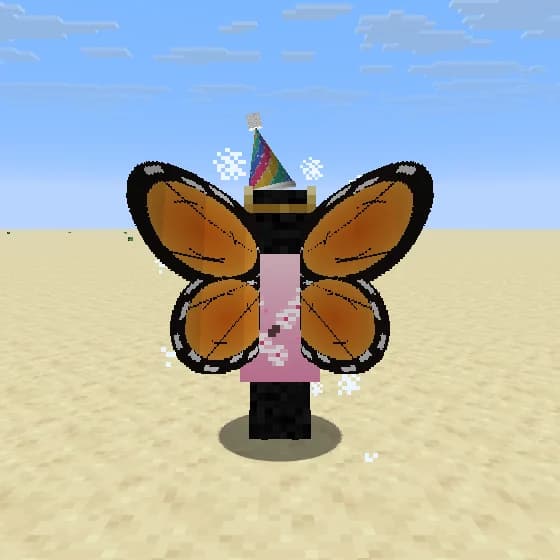
Player wearing Monarch, Sakura Cape, Party Hat
Monarch · Sakura Cape · Party Hat
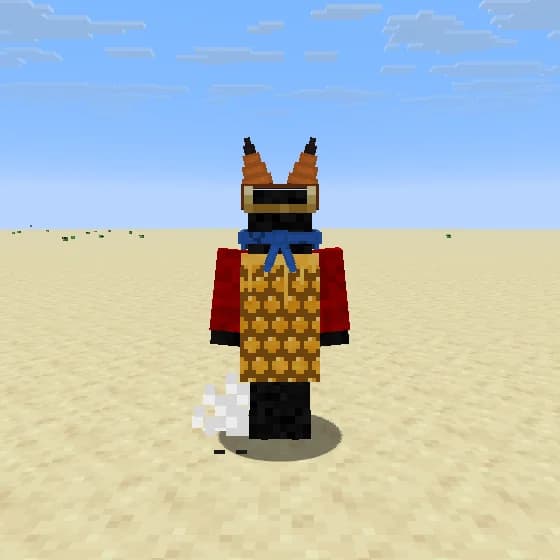
Player wearing Honeycomb Cape, Fox Ears, Bandana Mask, Cloud Nine
Honeycomb Cape · Fox Ears · Bandana Mask · Cloud Nine
Player wearing Prism Cape, Rose Halo, Encore
Prism Cape · Rose Halo · Encore
Player wearing Bat Wings, Headphones, Hero Mask, Stardust
Bat Wings · Headphones · Hero Mask · Stardust
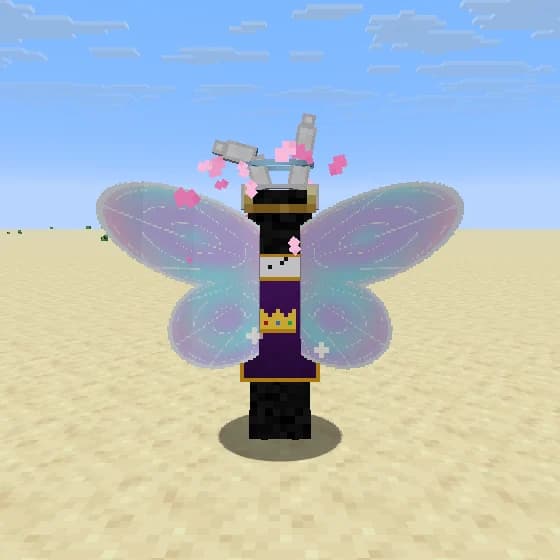
Player wearing Fairy Wings, Bunny Ears, Royal Cape
Fairy Wings · Bunny Ears · Royal Cape

The full collection

Capes15

  • Fanaticlegendary
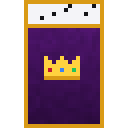
  • Royallegendary
  • Stormlegendary
  • Auroraepic
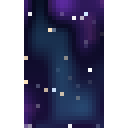
  • Galaxyepic
  • Emberepic
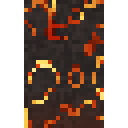
  • Lavaepic
  • Code Rainepic
  • Midnightrare
  • Oceanrare
  • Enderrare
  • Prismrare
  • Sakuracommon
  • Checkerscommon
  • Honeycombcommon

Wings9

  • Angel Wingslegendary
  • Phoenix Wingslegendary
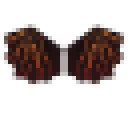
  • Demon Wingslegendary
  • Dragon Wingsepic
  • Bat Wingsepic
  • Frost Wingsepic
  • Monarchrare
  • Fairy Wingsrare
  • Luna Mothrare

Hats18

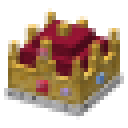
  • Crownlegendary
  • Samurai Kabutolegendary
  • Wizard Hatepic
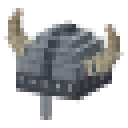
  • Viking Helmetepic
  • Top Hatrare
  • Cowboy Hatrare
  • Cat Earsrare
  • Bunny Earsrare
  • Devil Hornsrare
  • Headphonesrare
  • Pirate Hatrare
  • Santa Hatrare
  • Fox Earsrare
  • Flower Crownrare
  • Beaniecommon
  • Party Hatcommon
  • Chef Hatcommon
  • Frog Hatcommon

Halos5

  • Prism Halolegendary
  • Haloepic
  • Shadow Haloepic
  • Frost Halorare
  • Rose Halorare

Face8

  • Hero Maskepic
  • Pixel Shadesrare
  • Monoclerare
  • Round Glassesrare
  • Eyepatchrare
  • Bandana Maskrare
  • Handlebar Mustachecommon
  • Clown Nosecommon

Back7

  • Katanaepic
  • Acoustic Guitarepic
  • Fox Tailepic
  • Jetpackrare
  • Quiverrare
  • Round Shieldrare
  • Explorer Packcommon

Auras15

  • Flame Auraepic
  • Soul Flameepic
  • Hexepic
  • Voidepic
  • Fireworksepic
  • Lovestruckrare
  • Flurryrare
  • Stardustrare
  • Encorerare
  • Runesrare
  • Moltenrare
  • Staticcommon
  • Petalscommon
  • Lucky Charmcommon
  • Cloud Ninecommon

Privacy & safety

Only what the features need

Fanatic Client is built to play Minecraft, not to watch you. Here is exactly what it sends and what it doesn't.

Anonymous counts you can turn off

To see what to improve, the launcher sends anonymous counts: installs, starts, game launches and crashes, the Minecraft version, how long you play and which Fanatic features you turn on and use. They carry a random install ID, never your account. Switch them off in Settings. No ads, no error reports, no logs.

Your Microsoft account stays yours

You sign in on Microsoft's own page. Your password never touches our app, and the login token is stored encrypted on your PC and only ever sent to Microsoft and Mojang.

Your data stays on your PC

Settings, profiles, screenshots, skins, outfits, game logs and crash reports are saved locally and never uploaded to us.

Your username, for cosmetics

So other players can see your cosmetics and our staff see when a new player arrives, our server keeps your Minecraft username and UUID while you're active and deletes them after 180 days without playing. When you sign in, the launcher confirms your account with Mojang for this, at most every 12 hours. If you unlock an item, we keep a record of which item belongs to which UUID. We never store your email or payment details.

Signed updates

Every launcher update is signed by us and checked before it installs, so nobody can slip a modified version in between.

No cheats

No reach, aim assist, X-ray or anything else that gives an unfair advantage. The client also tells servers it's Fanatic, so you don't play in disguise.

To work, the launcher connects to Microsoft and Mojang (sign-in, friends), Modrinth (mod downloads), mc-heads.net (player heads) and our own server (updates, news, cosmetics, the anonymous counts). Chat translation uses Google Translate and is off unless you turn it on.

Download Fanatic Client

One installer sets up the launcher. Sign in with Microsoft, pick a version and play. Java and Fabric are installed for you.

Version
0.7.15
File
Fanatic-Client-Setup.exe
Size
87 MB
System
Windows 10 / 11, 64-bit
Minecraft
26.3, 26.2, 26.1 – 26.1.2, 1.21.11, 1.8.9

Signed with a Microsoft certificate

The installer and the launcher are signed with a code-signing certificate that Microsoft issued to CODEFANATICS sp. z o.o. after verifying our company. Windows shows us as the publisher, and a modified copy loses the signature.

  1. 1Run Fanatic-Client-Setup.exe and follow the installer.
  2. 2If Windows asks, check the publisher reads CODEFANATICS.
  3. 3Our certificate is new, so Windows SmartScreen may still ask for a while. Click More info, then Run anyway.

Only download Fanatic Client from this page. If the publisher isn't CODEFANATICS or the file has no signature, don't run it. After installation the launcher updates itself, and it only installs updates that carry our signature.

Community

Join us on Discord

Get news and update notes first, report bugs, suggest features, find people to play with and talk to the developers directly.

Join the Discord

FAQ

Questions

Which Minecraft versions are supported?

Minecraft: Java Edition 26.3, 26.2, 26.1 to 26.1.2 and 1.21.11 on Fabric, and 1.8.9 on Legacy Fabric. On 1.8.9 Fanatic has the HUD, cosmetics and emotes, the auto clicker, freelook, waypoints and pings; zoom, chat tabs and the presets are on the newer versions only. The launcher downloads the right Java version for you.

Is the installer signed? Why might SmartScreen still appear?

Yes. The installer and the launcher are signed with a certificate Microsoft issued to CODEFANATICS sp. z o.o., so Windows shows us as the publisher. The certificate is new, and SmartScreen can still ask until enough people have installed it. If it does, check the publisher is CODEFANATICS, click "More info", then "Run anyway". Launcher updates are also signed by us and verified before they install.

Do cosmetics cost anything?

Not right now. Every cosmetic and emote is free to use for now. Join our Discord to hear about changes first.

Can I get banned for using it?

Fanatic has no cheats: no reach, no aim help, no X-ray. It tells servers it's Fanatic Client, so they can see what you're running. Always follow the rules of the server you play on.

Can I keep my other mods?

Yes. Profiles are standard Fabric instances, so you can add mods from Modrinth or your own files. You can also import profiles from other launchers.

Is it affiliated with Mojang or Microsoft?

No. Fanatic Client is an independent project and is not affiliated with Mojang Studios or Microsoft.